
Our new text editor is now available on all communities!

See what’s new at our product, check the updates below
afsdfa ,f af ad

nmew featured imag description

Part 1: Foundations — What Are AI Agents? AI Agents, Clearly Explained AI Agents EXPLAINED in 14 Minutes and Tools for Building One What Are AI Agents — and How Do They Work? The COMPLETE TRUTH About AI Agents (2024) How To Create AI Agents For Beginners (DeepSeek, Claude, ChatGPT) Full Course (Lessons 1–10): AI Agents for Beginners — Microsoft Part 2: Build Your First Agent from Scratch Build an AI Agent From Scratch in Python — Tutorial for Beginners Building AI Agents in Pure Python — Beginner Course Build an AI Agent from SCRATCH with Python (No Frameworks) Create Your First AI Agent from Scratch (Full Python Code Tutorial) Building AI Agents from Scratch — Full Course (4 Agentic Patterns) Part 3: Agent Reasoning & Design Patterns ReAct Agent From Scratch — Agentic Patterns Series Getting Started with ReAct AI Agents Using LangChain Build a "Plan and Execute" AI Agent Workflow with LangGraph Part 4: Vector Databases & RAG for Agents Complete Tutorial on Vector Databases — ChromaDB, Pinecone & Weaviate ChromaDB Tutorial: Store & Query Document Embeddings (OpenAI + Python) Part 5: LangChain & LangGraph Build AI Agents: Code Along with Real Examples (LangChain & Crew AI) LangGraph Complete Course for Beginners — Complex AI Agents with Python Build Advanced AI Agents Quickly: LangGraph Studio Tutorial LangGraph Functional API Overview Part 6: CrewAI — Multi-Agent Teams CrewAI Full Tutorial By Example: Automate YouTube Channel With AI Agents Part 7: OpenAI Agents SDK OpenAI Agents SDK Tutorial (FULL SERIES) — 2.5 Hours Multi-Agent Systems in OpenAI's Agents SDK — Full Tutorial Part 8: Smolagents & Hugging Face Building Intelligent AI Agents with Open Source LLMs — smolagents Part 9: Google Agent Development Kit (ADK) Introducing Agent Development Kit — Google Developers ADK Masterclass: Build AI Agents & Automate Workflows (Beginner to Pro) Part 10: MCP — Model Context Protocol The Model Context Protocol (MCP) — Overview Building with MCP and the Claude API — Anthropic Building Agents with Model Context Protocol — Full Workshop (Anthropic) Part 11: Advanced Multi-Agent Orchestration Multi-Agent Swarms with LangGraph Fully Local Multi-Agent Systems with LangGraph Part 12: No-Code AI Agents N8N Full Tutorial: Building AI Agents in 2025 for Beginners Create a YouTube AI Agent (Chat with Videos, Newsletters, Q&A) — n8n Build Your Own AI Agents with Microsoft 365 Copilot Part 13: Function Calling & Tool Use Add YouTube Search to AI Agents — PydanticAI YouTube Function Toolkit Part 14: Autonomous Coding Agents I Tried Every AI Coding Agent… Here's My 2026 Setup Scale Your AI Coding IMPACT with Devin, Cursor, Aider & This ONE Pattern AI Agent Automatically Codes WITH TOOLS — SWE-Agent Tutorial ("Devin Clone") Developing with Devin — Autonomous Coding Agent Part 1: Foundations — What Are AI Agents?AI Agents, Clearly ExplainedAI Agents EXPLAINED in 14 Minutes and Tools for Building OneWhat Are AI Agents — and How Do They Work?The COMPLETE TRUTH About AI Agents (2024)How To Create AI Agents For Beginners (DeepSeek, Claude, ChatGPT)Full Course (Lessons 1–10): AI Agents for Beginners — MicrosoftPart 2: Build Your First Agent from ScratchBuild an AI Agent From Scratch in Python — Tutorial for BeginnersBuilding AI Agents in Pure Python — Beginner CourseBuild an AI Agent from SCRATCH with Python (No Frameworks)Create Your First AI Agent from Scratch (Full Python Code Tutorial)Building AI Agents from Scratch — Full Course (4 Agentic Patterns)Part 3: Agent Reasoning & Design PatternsReAct Agent From Scratch — Agentic Patterns SeriesGetting Started with ReAct AI Agents Using LangChainBuild a "Plan and Execute" AI Agent Workflow with LangGraphPart 4: Vector Databases & RAG for AgentsComplete Tutorial on Vector Databases — ChromaDB, Pinecone & WeaviateChromaDB Tutorial: Store & Query Document Embeddings (OpenAI + Python)Part 5: LangChain & LangGraphBuild AI Agents: Code Along with Real Examples (LangChain & Crew AI)LangGraph Complete Course for Beginners — Complex AI Agents with PythonBuild Advanced AI Agents Quickly: LangGraph Studio TutorialLangGraph Functional API OverviewPart 6: CrewAI — Multi-Agent TeamsCrewAI Full Tutorial By Example: Automate YouTube Channel With AI AgentsPart 7: OpenAI Agents SDKOpenAI Agents SDK Tutorial (FULL SERIES) — 2.5 HoursMulti-Agent Systems in OpenAI's Agents SDK — Full TutorialPart 8: Smolagents & Hugging FaceBuilding Intelligent AI Agents with Open Source LLMs — smolagentsPart 9: Google Agent Development Kit (ADK)Introducing Agent Development Kit — Google DevelopersADK Masterclass: Build AI Agents & Automate Workflows (Beginner to Pro)Part 10: MCP — Model Context ProtocolThe Model Context Protocol (MCP) — OverviewBuilding with MCP and the Claude API — AnthropicBuilding Agents with Model Context Protocol — Full Workshop (Anthropic)Part 11: Advanced Multi-Agent OrchestrationMulti-Agent Swarms with LangGraphFully Local Multi-Agent Systems with LangGraphPart 12: No-Code AI AgentsN8N Full Tutorial: Building AI Agents in 2025 for BeginnersCreate a YouTube AI Agent (Chat with Videos, Newsletters, Q&A) — n8nBuild Your Own AI Agents with Microsoft 365 CopilotPart 13: Function Calling & Tool UseAdd YouTube Search to AI Agents — PydanticAI YouTube Function ToolkitPart 14: Autonomous Coding AgentsI Tried Every AI Coding Agent… Here's My 2026 SetupScale Your AI Coding IMPACT with Devin, Cursor, Aider & This ONE PatternAI Agent Automatically Codes WITH TOOLS — SWE-Agent Tutorial ("Devin Clone")Developing with Devin — Autonomous Coding Agent !-->!-->!-->!-->!-->!-->!-->!-->!-->!-->!-->!-->!-->!-->!-->!-->!-->
Part 1: Foundations — What Are AI Agents?AI Agents, Clearly ExplainedAI Agents EXPLAINED in 14 Minutes and Tools for Building OneWhat Are AI Agents — and How Do They Work?The COMPLETE TRUTH About AI Agents (2024)How To Create AI Agents For Beginners (DeepSeek, Claude, ChatGPT)Full Course (Lessons 1–10): AI Agents for Beginners — MicrosoftPart 2: Build Your First Agent from ScratchBuild an AI Agent From Scratch in Python — Tutorial for BeginnersBuilding AI Agents in Pure Python — Beginner CourseBuild an AI Agent from SCRATCH with Python (No Frameworks)Create Your First AI Agent from Scratch (Full Python Code Tutorial)Building AI Agents from Scratch — Full Course (4 Agentic Patterns)Part 3: Agent Reasoning & Design PatternsReAct Agent From Scratch — Agentic Patterns SeriesGetting Started with ReAct AI Agents Using LangChainBuild a "Plan and Execute" AI Agent Workflow with LangGraphPart 4: Vector Databases & RAG for AgentsComplete Tutorial on Vector Databases — ChromaDB, Pinecone & WeaviateChromaDB Tutorial: Store & Query Document Embeddings (OpenAI + Python)Part 5: LangChain & LangGraphBuild AI Agents: Code Along with Real Examples (LangChain & Crew AI)LangGraph Complete Course for Beginners — Complex AI Agents with PythonBuild Advanced AI Agents Quickly: LangGraph Studio TutorialLangGraph Functional API OverviewPart 6: CrewAI — Multi-Agent TeamsCrewAI Full Tutorial By Example: Automate YouTube Channel With AI AgentsPart 7: OpenAI Agents SDKOpenAI Agents SDK Tutorial (FULL SERIES) — 2.5 HoursMulti-Agent Systems in OpenAI's Agents SDK — Full TutorialPart 8: Smolagents & Hugging FaceBuilding Intelligent AI Agents with Open Source LLMs — smolagentsPart 9: Google Agent Development Kit (ADK)Introducing Agent Development Kit — Google DevelopersADK Masterclass: Build AI Agents & Automate Workflows (Beginner to Pro)Part 10: MCP — Model Context ProtocolThe Model Context Protocol (MCP) — OverviewBuilding with MCP and the Claude API — AnthropicBuilding Agents with Model Context Protocol — Full Workshop (Anthropic)Part 11: Advanced Multi-Agent OrchestrationMulti-Agent Swarms with LangGraphFully Local Multi-Agent Systems with LangGraphPart 12: No-Code AI AgentsN8N Full Tutorial: Building AI Agents in 2025 for BeginnersCreate a YouTube AI Agent (Chat with Videos, Newsletters, Q&A) — n8nBuild Your Own AI Agents with Microsoft 365 CopilotPart 13: Function Calling & Tool UseAdd YouTube Search to AI Agents — PydanticAI YouTube Function ToolkitPart 14: Autonomous Coding AgentsI Tried Every AI Coding Agent… Here's My 2026 SetupScale Your AI Coding IMPACT with Devin, Cursor, Aider & This ONE PatternAI Agent Automatically Codes WITH TOOLS — SWE-Agent Tutorial ("Devin Clone")Developing with Devin — Autonomous Coding Agent !-->!-->!-->!-->!-->!-->!-->!-->!-->!-->!-->!-->!-->!-->!-->!-->!-->
When it comes to keep an eye on your community, why let moderators have all the fun? We empower your members to report malicious or inappropriate content they spot on the community.By navigating to the dot menu against each topic and reply, any user can ‘flag’ (report) a post. It’s possible to see a list of these reported posts any time in Control, using a filter.However, perhaps as a moderator you want to react quicker to these flagged posts, rather than waiting until the next time you check the filter. To help you resolve any potential issues faster, you can configure email notifications to be sent out whenever a user flags a post.How To Configure An Email Alert When A Post Is FlaggedGo to Control > Settings > Moderation > Moderation Notifications. Enable the ‘Flagged content’ toggle. Add one or more email addresses that you want to receive a notification when a post is flagged as inappropriate). Press ‘Save’, and you’re done. Now, whenever a user flags a post, we’ll send a notification to all email addresses in the list. This notification contains the following info (see below for an example):The reason provided by the user who flagged the post. The URLs of the post/topic (URLs for both Control and the Community Frontend). (If we set up a ‘Flagged topics’ category for you, during implementation): The URL of the ‘Reported topic’ (the platform automatically creates a topic in the name of the user who flagged the post, containing a summary of why it was reported. Tips, Tricks, & Technical Bits: At any time, you can go to ‘Control > Forum > Reported’ to see a list of all topics which contain flagged posts. The email notification (post_report) is customisable using our phrases tool (check out this unofficial How To).
Hello PX Users!PX tracks the click events by default.Are you bothered about tracking the drag-drop events on your application?No Worries!Here I am sharing the video on how to track the drag-drop events that take place on your application.This can be achieved using the PX custom events.Video: https://share.vidyard.com/watch/p28cvBn1zBSyW2xyp4iZLN?hmm hmmm
Fancy flexing your moderation muscles? Use our bulk actions tool to moderate multiple topics in one go. It’ll help you save time that could be better spent on other things. How To Moderate Lots Of Topics At OnceGo to Control > Content > Moderation > Overview. Select the topics you want to moderate using the checkboxes (use filters to narrow down the topic list if necessary). In the top-righthand corner, select your action. Available options include: ‘Move To’, ‘Close Topic’, ‘Mark as Spam’, or ‘Trash’. Press ‘Apply’, and the change will be applied to all selected topics. Now go take a siesta with all your newly freed time! How To Assign a Moderator to Multiple IdeasGo to Control > Content > Moderation > Ideas. Select the ideas you want to assign to a moderator using the checkboxes (use filters to narrow down the ideas list if necessary). In the top-righthand corner, select ‘Assign Moderator’. Once you’ve selected the Moderator, changes will be applied immediately. Tips, Tricks, and Technical BitsClicking an option will immediately perform the action (without asking for your confirmation) It's only possible to perform bulk actions on 25 topics. We allow you to select more, but 25 is the current limit. Click the checkbox in the top row to select/deselect all topics in the list for even faster moderation.
fasdfda
Created product update analytics without category
We are very proud to announce that our completely new editor is now available for all users on all communities! We have invested a lot of time to give you and your users more options to create richer content in an easy way - so we hope that you will enjoy working with the new editor as much as we do!We are investigating line-height / spacing inconsistencies as well as problems with selecting text on some viewports (e.g. Safari on iOS).Polls are temporarily not available, but will be added again soon. Overview of improvementsThere are many things which have improved with the new editor, just to name a few:Improved existing featuresImage upload Drag & drop images into the editor instead of manual upload Captions (descriptive text underneath uploaded images) Code In-line code is now possible (previously code was in an extra line) Code syntax (code is not being stripped automatically anymore) Lists Multi-level lists are possible now Better UX in working with lists (previously lists could not be interrupted by line breaks) Text styling Text styling within lists was not fully supported before New featuresTables! Callouts Text color / background color Horizontal linesOf course not all of these features are available to end users, some of these (e.g. text color, header, callouts) are only available in the Control environment for now. We have plans to make this available to front-end users via user roles in the future, so that you are in control of who can make use of these features - please share your thoughts on this with us in the comments!FeedbackPlease let us know what you think of this improvement, also how your users are feeling about it. This way we can adjust and improve the editor even further in the future!
Topic Published Event Testing Article


And what a sprint it was! Pfew! Made it! Let’s discuss the updates to our platform, shall we?What’s new in V6.543:Team notes in actionWe added the possibility to add team notes to reports. This was actually suggested by @Josephine right here on the community (original thread). It’s awesome to see these great feature ideas come from our users, be sure to keep them coming! Bug fixes:Apparently it wasn’t possible for parents to log in during the weekend due to a malfunction with the ‘parental control’ settings. We’re sorry for the children, but we’ve resolved the bug and weekend-use is enabled again! Some server had been buggy for a while, we unplugged them and reconnected the power afterwards---fixed! Some users notified us of 404 pages coming up in control. We checked everything, but haven’t been able to reproduce and nor have the users in question. Stay vigilant, though!Not too bad this week!
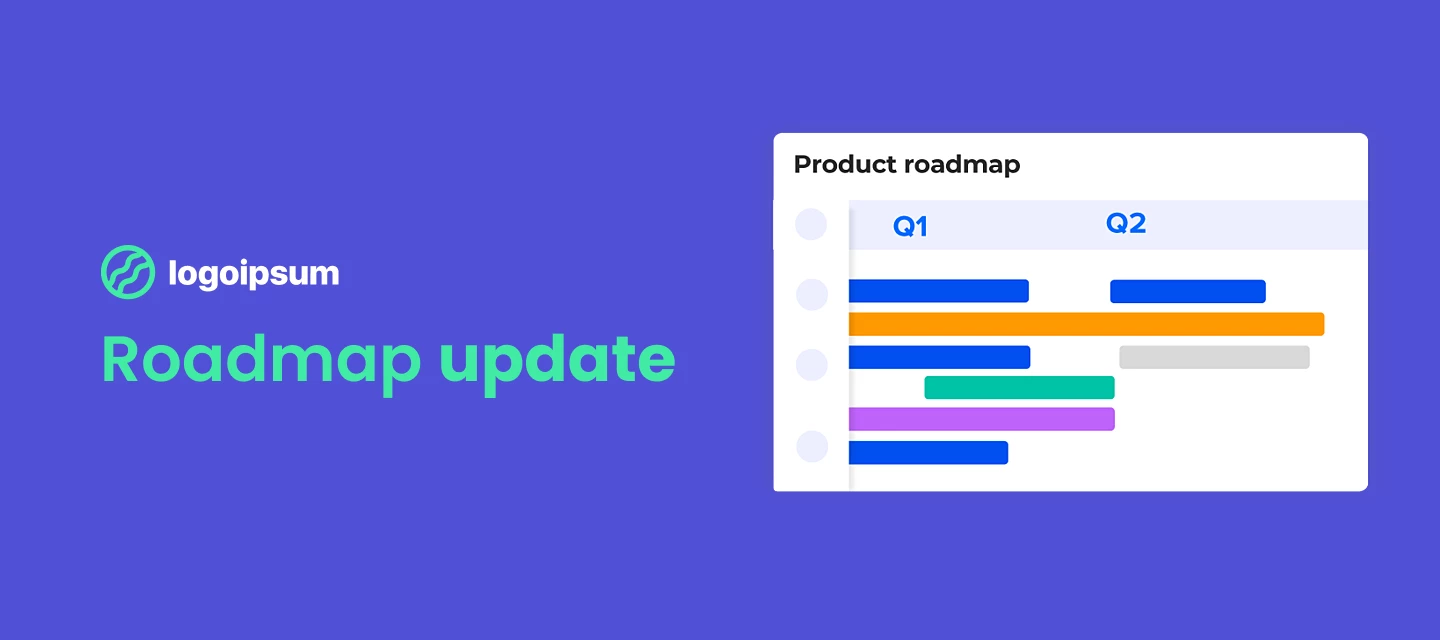
Here we are, nearing the end of Q1 we want to share with you all what we’ve been up to. How about a welcome break to your daily routine with our latest Roadmap Update? ☕ We’re extremely proud to have delivered so many ideas from you—our beloved community! We’ve got some great new releases we’re excited to share with you all—here goes: Brand new Homepage configuration: this is a huge step to help you optimize for your various different use cases and custom stylesNever lose a change with article versioning Publish perfectly-formatted articles with (shareable!) article previews Publish content even whilst you’re on holiday, with Article Scheduling Target the competitive spirit of your members with a points-based leaderboard Change your community homepage layout design with the all-new customization mode Get a 360° view of your customers with our CRM integrationsSo there’s what we did, here’s what’s coming up! What we’re working on: GroupsEngage with like-minded community users who are passionate about the same interest, industry, or role. Create and manage public or private groups from the back end. Your community members can browse public- and private groups. Join a group, see its members and post new topics and replies to itCustomization improvementsFollowing up on the Customization mode we’ll continue working on improving and expanding the capabilities of the customization mode. As part of these improvements, you can expect new homepage widgets, a new topic list view, and more general design improvements.PersonalizationWe will start investigating how we can serve more relevant (personalized) content to a segment of users. If you have any ideas or thoughts on this subject please get in touch! Ideation workflowWe’re looking into ways of making it easier for you to manage your ideation processes on the community, whether it’s highlighting the latest official response to an idea, or closing the loop in a more effective way with all customers interested in the idea.So with all that said, we’re looking forward to continuing our momentum into next quarter and bringing you even more rich features and functionality. Let us know what your focus is right now and how you’re utilizing your community! Cheers!
No account yet? Create an account
Enter your E-mail address. We'll send you an e-mail with instructions to reset your password.
Sorry, we're still checking this file's contents to make sure it's safe to download. Please try again in a few minutes.
OKSorry, our virus scanner detected that this file isn't safe to download.
OK